Tour
See what Kwitt looks like
The real screens of the app, and the documents your clients receive. No account needed.
Try it free
Free during the beta, no credit card
The app
Everything you follow, in one place
The dashboard
What you invoiced and collected, overdue invoices, the clients who owe you the most and the next subscription invoices.
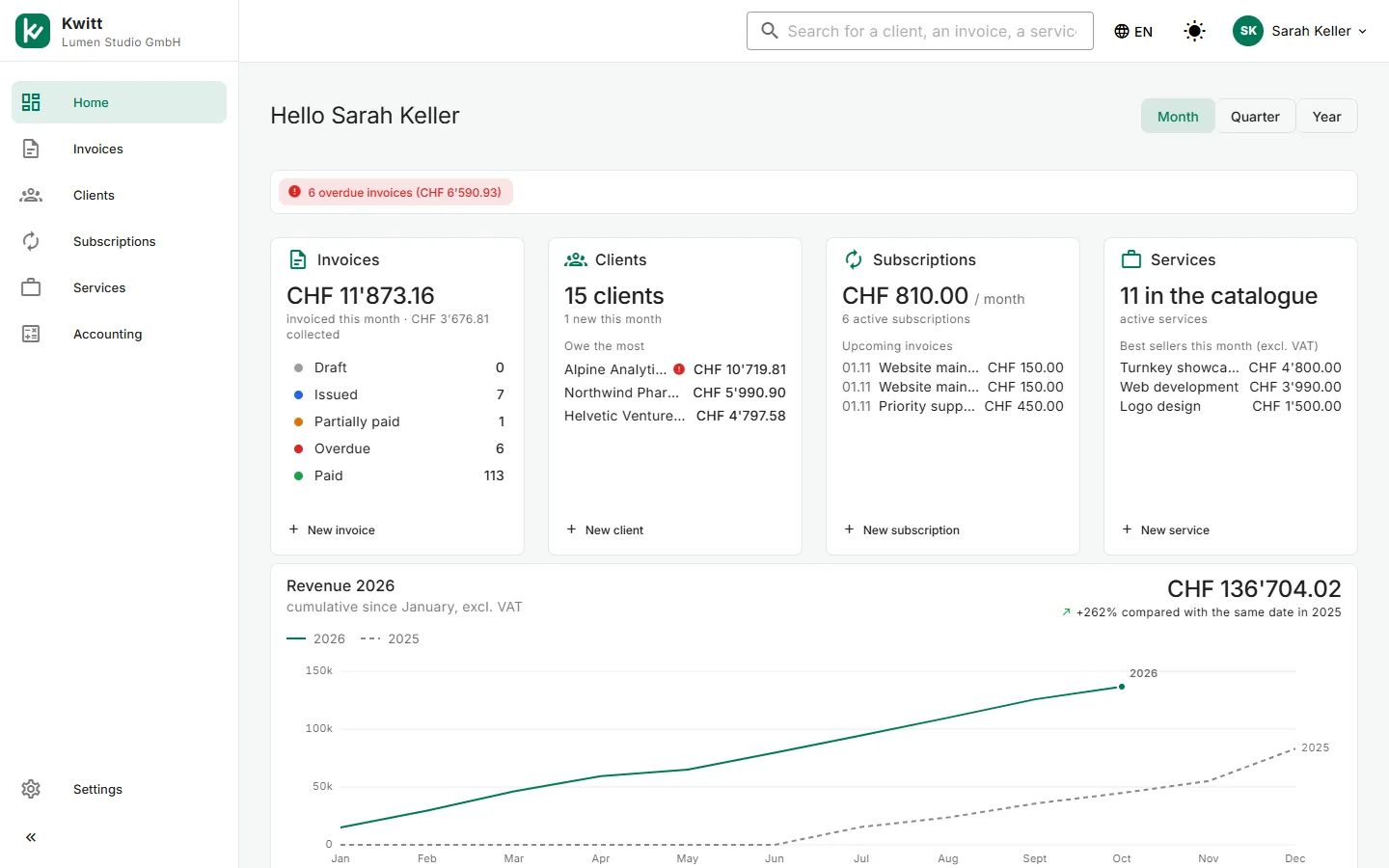
Fictitious data, as an example.
What your client receives
A complete Swiss invoice, with its QR-bill
Choose from four layouts, add your logo and your colour. The invoice is written in your client’s language.
Compliant QR-bill, payable from e-banking
VAT per rate, due date and payment terms
In English, French, German or Italian, depending on the client
Layout
Download this example (PDF)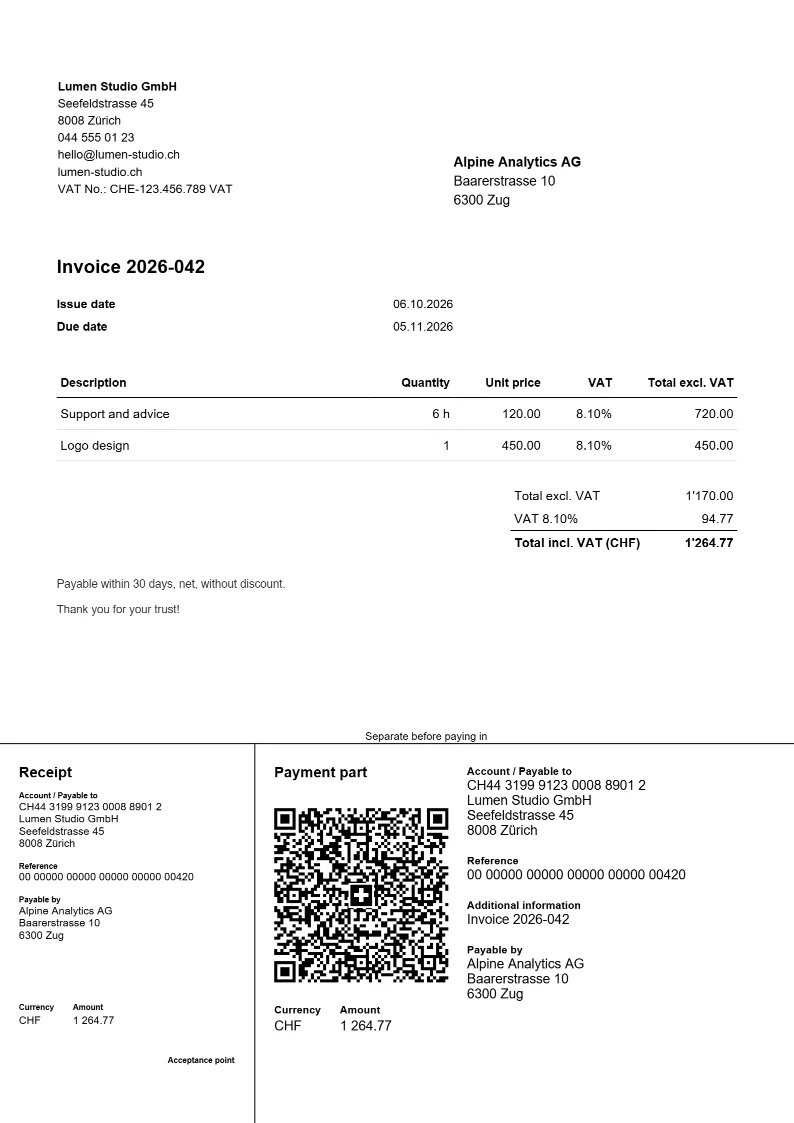
By email
Sent, and followed up if needed
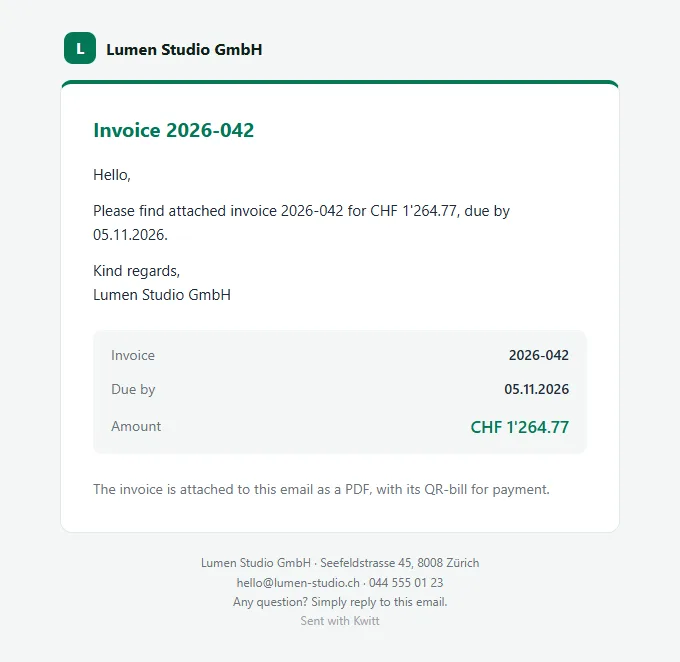
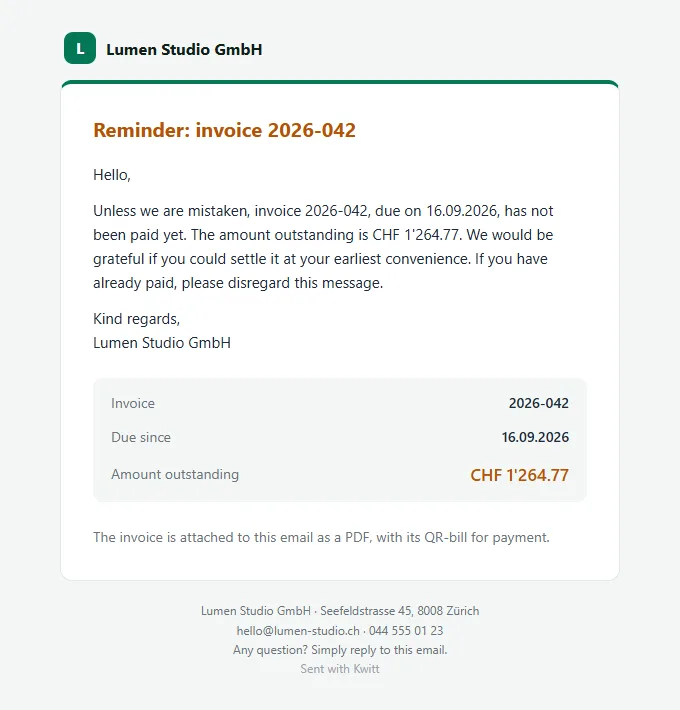
The invoice goes out by email in your name, with the PDF attached. If payment is late, a polite reminder follows, automatically if you wish.
The email with the invoice
The reminder, if payment is late
A mistake? A credit note
A goodwill gesture or a service to take off: the credit note takes a few clicks, looks like the invoice, and the amount is deducted from what is left to pay.
Download the credit note (PDF)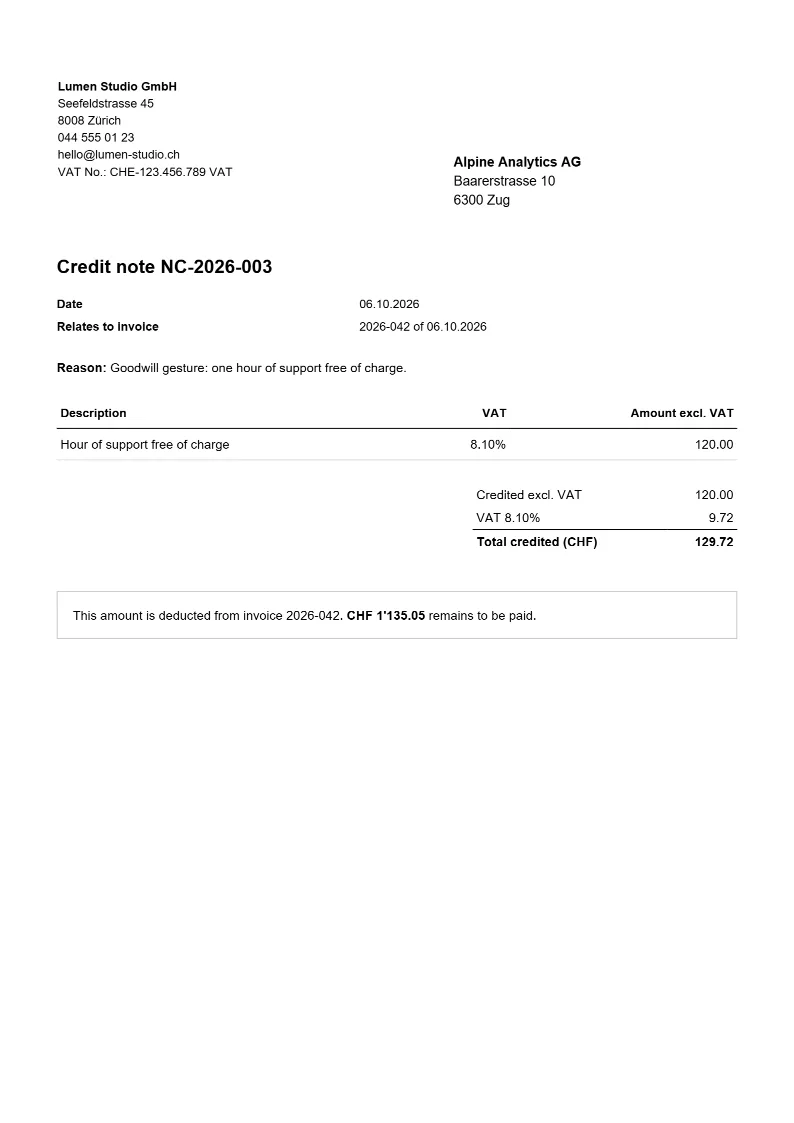
Want to try it with your own invoices?
Free during the beta, no credit card. The assistant guides you step by step.
Create my free account